Electricity
Last updated: July 16, 2026
Electricity in Rust is real engineering. It has sources, storage, transmission, logic, and loads, just like a real grid. The whole system runs on rW (Rust watts) and you have to budget rW the same way you'd budget current in an actual circuit. This file covers every component, every gotcha, and the wiring rules that prevent your turret 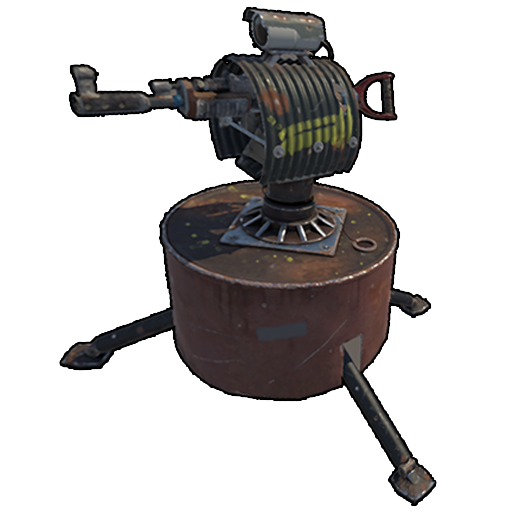 from dying at 3am.
The four-stage power chain
Every electrical build in Rust, from a single ceiling light to a 30-turret clan compound, follows the same four-stage chain: a source generates raw rW, a battery buffers it across the day/night cycle, logic routes and conditions it, and loads consume it. Skip a stage and the system breaks in a predictable way. Skip storage and your turrets die the instant the sun sets. Skip logic and you cannot route a fixed amount of power to the right device. Understanding the chain end-to-end is the difference between a base that defends itself at 3am and a base that goes dark when you log off.
Why the chain order matters
Power in Rust only ever flows in one direction: from a root source, through intermediate components, to a terminal load. There is no AC, no voltage, no current draw spikes — just a steady rW value propagating down the wire each server tick. A component cannot pull more than its upstream feeds it, and any rW a load does not consume is simply lost at that node (it is not pushed back upstream). This is why placement order on the wire is the single most important design decision. Get a battery in the chain before your loads and the base is blackout-proof; put loads directly on a solar panel and they flicker off every dusk.
| Stage | Job | Typical components | If you skip it |
|---|---|---|---|
| 1. Source | Generate raw rW | Solar panel, wind turbine, generators | Nothing powers on at all |
| 2. Storage | Buffer rW over time | Large / medium / small battery | Loads flicker off at night and on calm days |
| 3. Logic | Route, split, condition, automate | Branch, splitter, root combiner, switches, timer, counter, memory cell, gates, blocker, RAND | Cannot split power or automate anything |
| 4. Load | Consume rW to do work | Turrets, lights, furnace, traps, doors | No reason to have a circuit |
Every electrical setup follows this flow:
Source → Storage → Logic → Output
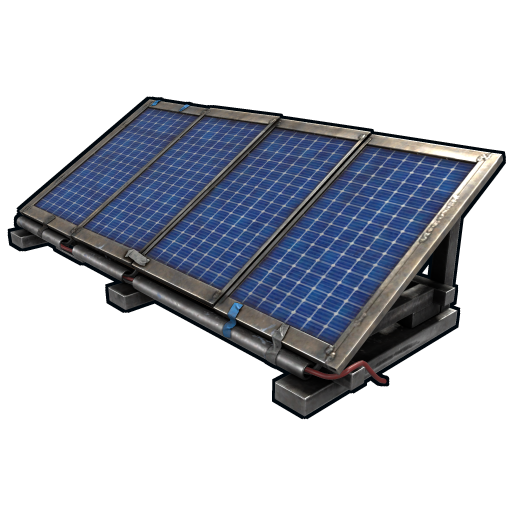
- Source: produces power (solar panel
 , wind turbine
 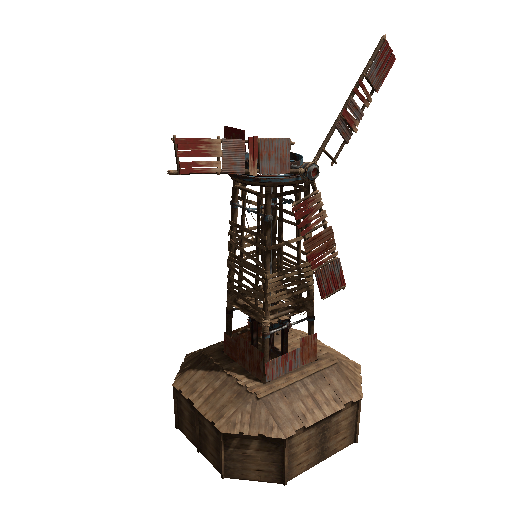 , small generator, large generator)
 - Storage: batteries that smooth out variable sources and provide power when sources are off
- Logic: switches, timers
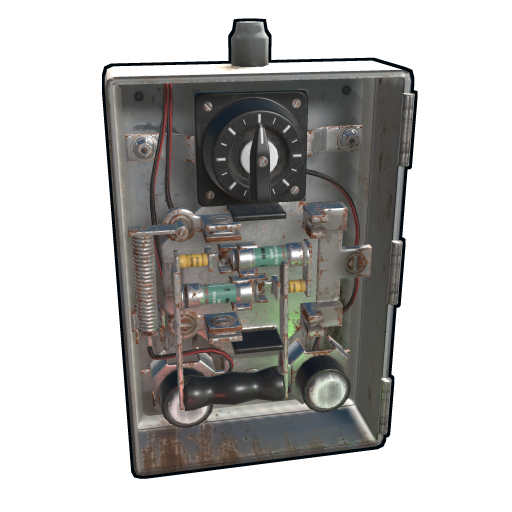 , gates, splitters, branches — the stuff that makes the system do something
 - Output: the actual device drawing power (lights, turrets , doors, traps)
Bypassing the storage stage works for stable always-on sources (a generator running on low-grade), but solar and wind need batteries or your lights flicker out at sundown.
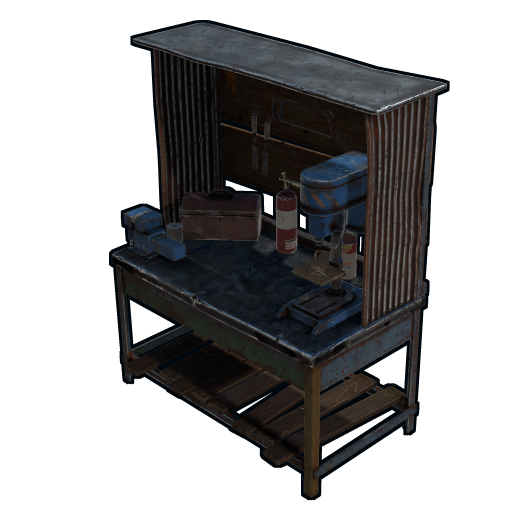
The Engineering Workbench
Since the March 6, 2025 crafting update, electrical gear has a dedicated home. Facepunch built the Engineering Workbench for players who want to "take your base automation to the next level": it is the crafting and research bench for electrical, water, and industrial items, and it unlocks at Workbench Level 1. A day-one solo can start teching into circuits without ever touching a WB2.
Cost and stats (community wiki data): 500 wood and 100 metal fragments to craft, WB1 required, 60 scrap to research at a research table, 500 HP, and it can even be deployed on boats. That is a trivially cheap buy-in. Treat it as part of your standard base kit, placed the same wipe-day hour as your WB1.
How it fits beside WB1–3: it is a parallel bench, not a fourth tier. Guns, armor, and building gear still tech through the normal workbench line, while the components on this page (plus the water and industrial parts covered on the Industrial page) research and craft through the Engineering Workbench's own tree. Per the official post, basic circuits and water management unlock right away, and "as you progress, you'll be able to research and craft more advanced components, making it easier to set up automated factories, efficient electrical grids, and complex water systems."
Practical takeaway: park it next to your main workbench, feed it spare scrap early, and you can have lights and a turret running before your neighbors finish WB2. Every crafting cost listed below assumes you own one.
Power sources
Sources are the only components that create rW from nothing — every other component merely passes, stores, or conditions what a source produces. The three real-world sources are solar, wind, and the small generator, and each has a different uptime profile. Solar is free fuel but day-only and weather-blind to nothing but the clock; wind is the highest-ceiling source but punishingly elevation-dependent; the generator is the only fully-controllable always-on source but it eats low-grade fuel. The pro solo build pairs solar and wind specifically because their failure modes do not overlap — when the sun is down, wind often still blows, and a battery covers the dead calm in between.
| Source | Output | Uptime | Fuel | Best use |
|---|---|---|---|---|
| Solar panel | 0–20 rW | Daytime only, peaks at noon | None | Free, stackable daytime charging |
| Wind turbine | 0–150 rW | 24/7, varies with wind tick | None | High output if mounted high |
| Small generator | ~30–40 rW steady | 24/7 while fueled | Low-grade fuel | Guaranteed baseline power |
| Test generator | 100 rW | 24/7 | None | Monument-only / testing |
The golden pairing: one solar panel plus one well-elevated wind turbine, both feeding a large battery through a root combiner. Solar tops the battery off through the day, wind contributes day and night, and the battery rides out any gap. A single large battery on this rig comfortably runs 8–10 auto-turrets plus a lighting circuit with no babysitting.
Solar panel
Cost: 5 HQM  , 1 tech trash
  . Workbench 1
  .
Output: 0–20 rW depending on sun angle.
Day-only. Peaks at noon when angled directly at the sun.
.
Output: 0–20 rW depending on sun angle.
Day-only. Peaks at noon when angled directly at the sun.
Pro tip: angle matters. A solar panel laid flat outputs ~12 rW peak. Angled toward the south horizon (or whatever direction the noon sun travels in your server's seed) it hits 20 rW peak. Stack 4–6 in a vertical column on a tall pillar for compact rooftop arrays.
Wind turbine
Cost: 500 wood  , 10 high-quality metal , 3 gears, 3 sheet metal. Workbench 2
  . 1000 HP.
Output: 0–150 rW depending on elevation and wind. Wind is server-tick variable.
. 1000 HP.
Output: 0–150 rW depending on elevation and wind. Wind is server-tick variable.
The killer detail: wind output depends on how high above the local terrain the turbine sits. A turbine on a 1-foundation pillar outputs ~10–30 rW. A turbine on a 5-foundation pillar outputs ~80–120 rW. A turbine perched on a cliff top hits the 150 max.
Common mistake: placing a wind turbine indoors or below your roofline. The placement check only verifies open sky — it doesn't tell you your output is going to be 8 rW because you built it in a valley. Stack pillars.
Water wheel
Cost: 500 wood , 2 gears, 1 sheet metal (server-verified). Workbench 1 (Engineering Workbench, tier 1). 400 HP.
Output: Facepunch has published no official rW figure; community wiki lists 0–60 rW depending on flow.
The newest renewable, added in the April 2, 2026 Spring Clean update. Facepunch's pitch: "You liked wind and solar? Now it's time for another classic, Hydro!" Water wheels "can be placed in rivers to passively generate electricity from the water flowing along its base." Two placement rules from the official post: the incoming waterflow must not be blocked by anything, and while ocean placement does generate some charge, it does so "more inconsistently as the tides change." Treat saltwater hydro as a novelty, not a power plan.
Where it fits: hydro fills the exact niche the other renewables leave open. Solar dies at night. Wind is elevation-dependent, and a river base in a flat valley is the worst turbine terrain in the game. That same valley is prime water wheel real estate: no fuel, round-the-clock flow, and like every variable source it belongs in front of a battery, not wired straight to loads. The trade-off is that the generator's location is fixed to the riverbank, outside your walls, so give it turret cover or expect it to get farmed.
And yes, per the official post, the wheel doubles as a giant hamster wheel: you can hop in and "convert some calories into power," and handcuffed players can be forced into them. Prisoner-powered baseline is a legitimate, if dark, backup source.
Test generator (admin item)
Cost: cannot be crafted, found at monuments. Free output. Output: 100 rW continuous. No fuel.
The free monument-decor generator. It exists for testing and is admin-only as a craft. You can pick it up and bring it home with a hammer  . Do not confuse it with the fuel-burning Small Generator below, which is a normal craftable item.
Small generator (fuel generator)
Cost: 5 high-quality metal , 2 gears. Workbench 2 . 100 HP (server-verified).
Output: 30 rW continuous while fueled.
Fuel: low-grade fuel, 1 LG per ~5–10 minutes.
A reliable always-on 40 rW source if you have a fuel supply. Most solos skip this in favor of solar +wind+batteries.
Large rechargeable battery
Cost: 10 HQM , 2 tech trash . Workbench 2 .
Storage: 24,000 rWm (rust-watt-minutes).
Max output: 100 rW.
This is the workhorse battery. Charges from solar /wind during the day, discharges through the night. A single large battery can run two auto-turrets and a lighting circuit for 4–6 hours of darkness.
Medium rechargeable battery
Cost: 5 HQM , 1 tech trash . Workbench 2 .
Storage: 9,000 rWm.
Max output: 50 rW.
Worthwhile if you only have 50 rW worth of loads. Cheaper to build than large but stores ~3x less. Most builds skip mediums entirely.
Small rechargeable battery
Cost: 5 HQM . Workbench 1 .
Storage: 400 rWm.
Max output: 15 rW.
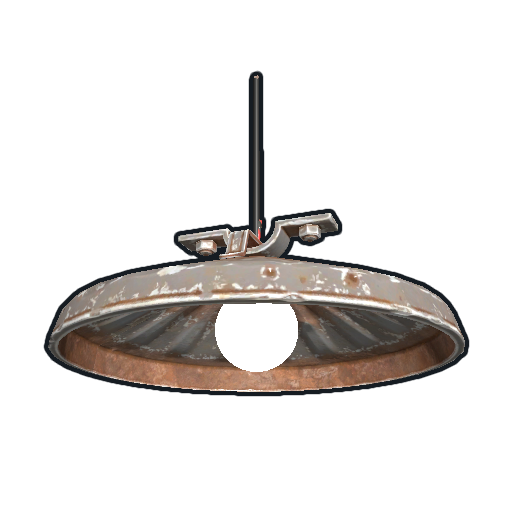
For very small circuits. A single small battery 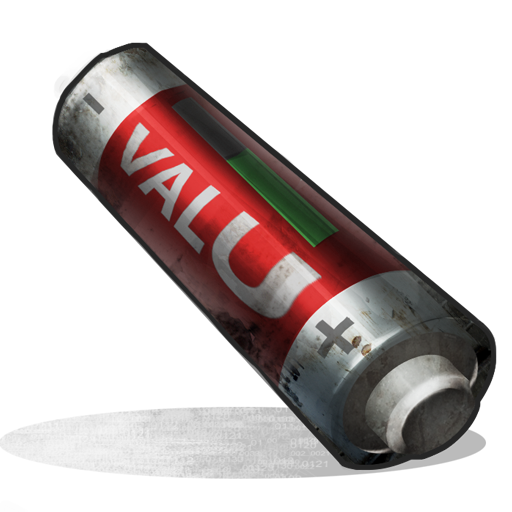 runs a 5 rW ceiling light
  for ~80 minutes. Use these in cheap auto-turret pods where you'd rather lose a $10 battery than a $50 battery if the pod gets blown.
Battery efficiency
All batteries lose ~20% energy through the charge-discharge cycle. So 100 rW going in becomes 80 rW available. Plan source output accordingly: if you want 50 rW available at night, you need 60+ rW of source running during the day.
The loss is not a fee charged once — it is baked into the round trip. Energy stored is measured in rWm (rust-watt-minutes): a large battery's 24,000 rWm is 24,000 rW for one minute, or 100 rW for 240 minutes, or 10 rW for 2,400 minutes. A battery also has a hard maximum output rate independent of how much it has stored — a large battery caps at 100 rW out, a medium at 50 rW, a small at 15 rW — so a load drawing more than that cap simply will not get full power no matter how charged the cell is.
| Battery | Capacity | Max output | Charge rate cap | Full runtime at max load |
|---|---|---|---|---|
| Large rechargeable | 24,000 rWm | 100 rW | ~640 rW in | 240 min @ 100 rW |
| Medium rechargeable | 9,000 rWm | 50 rW | ~140 rW in | 180 min @ 50 rW |
| Small rechargeable | 400 rWm | 15 rW | ~50 rW in | ~26 min @ 15 rW |
Reading a battery in-game: hold Use on a battery to see its current stored rWm, its input rW, and its output rW. If input exceeds output the cell is charging; if output exceeds input it is draining and you can compute exactly how many minutes of darkness you have left. The crucial number is the gap between your average daytime charge and your continuous load — that surplus is what survives the night.
Charge and discharge behavior
A battery charges and discharges simultaneously: it accepts power on its input socket while feeding its output socket every tick. This is what makes the "source → battery → loads" topology blackout-proof. During the day the source over-supplies, the surplus tops the cell, and loads draw from the output. At night the source drops to zero, the cell keeps the output socket alive, and stored rWm depletes. Because the ~20% loss applies on the way in, size your source to deliver roughly 1.25x your intended nighttime draw during daylight hours, not 1.0x.
Roadside powerline poles (Power Plant grid — August 2026)
Since the August 2026 "Power Trip" update, the powerline poles with transformers along the map's roads (the white cylinder units) can supply power to your own circuits — but only once players have restored the Power Plant grid by feeding it Heavy Fuses. The fuse/grid side is covered in the Player-Maintained Monuments walkthrough.
- Climb it by jumping. These poles are now climbable with no ladder — just approach and jump.
- Tap the transformer output with the Wire Tool and run the cable back to your base.
- Output scales with how powered the Power Plant is — a lightly-fed grid gives less than a maxed one. (The staging preview described 6 output ports per pole at 12 / 18 / 24 / 30 rW by power tier; those exact numbers aren't in the official devblog, so treat them as community-reported until the wiki confirms.)
- Normal Building Privilege rules apply to the wiring, so a pole inside or next to your TC coverage is easiest to use safely.
A pole next to your base is effectively a free power source with no fuel and no solar array — the catch is that it only works while someone keeps the Power Plant fed, so don't build your whole power plan around it on a server where the grid isn't reliably maintained.
Storage devices
Sizing your storage
Storage exists to cover the longest interval your sources produce nothing. For solar-only builds that is the full night — roughly half the day/night cycle. For a solar+wind build it is only the rare dead-calm night, which is much shorter. Multiply your continuous load (in rW) by the worst-case dark interval (in minutes) and add 20% headroom for the charge loss; that product, in rWm, is the minimum capacity you need. A 17 rW solo load across a worst-case 400-minute gap needs ~8,200 rWm — comfortably inside a single large battery's 24,000 rWm. Most solo bases are wildly over-provisioned with one large cell, which is fine: you build it once.
Chaining batteries
Wiring batteries through a root combiner lets several cells (or a battery plus a live source) act as one node. Two large batteries combined present a 200 rW output ceiling instead of 100. This matters for big turret walls: a single large battery's 100 rW cap only sustains ten 10 rW turrets, so a clan compound combines multiple cells to lift the ceiling. For a solo, one large cell as a single central output node is cleaner to wire and far easier to debug.
Four-battery bank — equal charge, equal drain (Root Combiner cascade)
The standard pattern for a clan-scale or industrial base: four Large Rechargeable Batteries wired through three Root Combiners in a tree. The bank acts as a single 96,000 rWm cell with a 400 rW output ceiling, and every battery drains at the same rate because demand cascades evenly through the combiner tree.
Why each battery drains equally. The load demands a fixed rW from Root Combiner C. That demand splits 50/50 between Combiner A and Combiner B (the two inputs into C). Each of those then splits its share 50/50 between its two batteries. So a 100 rW load pulls 25 rW from every battery, every minute, automatically — no scripting or memory cells required.
Why each battery charges equally. Run the source (solar array, wind turbine, or both feeding their own Root Combiner) into an Electrical Branch tree on the way in: set each branch to grab roughly a quarter of the incoming rW. If the inputs are uneven, the bank still drains evenly via the combiner tree but the cells will diverge over time — the most-charged battery never empties while the under-fed one runs dry. Always pair equal-drain output with equal-charge input.
Wiring cost: 4 Large Batteries + 3 Root Combiners + 3 Electrical Branches + wire. Capacity: 96,000 rWm. Output ceiling: 400 rW — enough to sustain forty 10 rW turrets, a full lighting circuit, and an industrial line at the same time.
Batteries are the only true energy storage. There's also the electrical branch 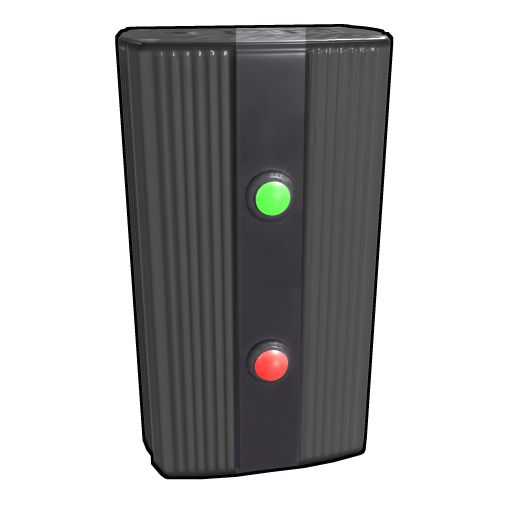 and electrical splitter, which are routing/distribution, not storage.
Logic and routing components
How logic components handle power
Logic components fall into two families and it is vital not to confuse them. Power-passing components (branch, splitter, root combiner) physically move rW down the wire and can feed loads. Signal/control components (memory cell, timer, counter, gates, blocker, RAND, switches) decide whether power passes but should be thought of as routing the flow, not as loads themselves — most draw 0–1 rW to operate. Many logic components also expose extra sockets: a passthrough output, an inverted output, a "toggle" input. Mastering those secondary sockets is what separates a base that just has lights from a base that defends and manages itself automatically.
Root combiner
Cost: 75 metal frags. Workbench 1. Function: merges two separate root power sources into a single combined output. The output rW equals the sum of both inputs.
This is the component that lets solar and wind feed the same battery, or several low-output sources stack into one usable line. Without it you would have to pick a single source per circuit. The combiner only accepts root sources (things that generate power — panels, turbines, batteries, generators), not arbitrary mid-circuit wires. A common layout: solar panel and wind turbine each wire into a root combiner, the combiner feeds the large battery, and the battery is the single output node for the whole base.
Pro tip: chain root combiners to merge more than two sources — combiner A merges two panels, combiner B merges combiner A's output with a turbine, and so on. There is no practical limit, only wire-length budget.
Switches and buttons
Cost: 100 metal frags (switch), 75 metal frags (button). Workbench 1. Function: the manual control primitives. A switch latches — flip it on and power passes until you flip it off. A button is momentary — it passes power only while held/pressed, then a configurable 0.1–60 second linger before it shuts off.
- Switch: arm/disarm a turret circuit, toggle a lighting bank, manually cut a trap. The everyday on/off control.
- Button: feed a door controller for a "press to open, auto-closes" door, or trigger a timer. The linger setting makes a button alone act like a crude timer.
- Pair a button with a memory cell when you want "press once on, press again off" toggle behaviour from a momentary input.
Wire tool
Costs nothing. Always in your inventory. Used to connect components. Wire limit: 30 meters per run. A single wire run can have up to 16 pinned waypoints (right-click while pulling wire) before the 30m budget runs out.
If you need longer runs, you have to break them up with a component that re-emits power — electrical branches work for this.
Electrical branch
Cost: 75 metal frags  . Workbench 1 .
Function: splits a power source into a "branch out" line (set rW amount) and a "main out" line (everything else). Doesn't waste power.
. Workbench 1 .
Function: splits a power source into a "branch out" line (set rW amount) and a "main out" line (everything else). Doesn't waste power.
Always prefer Branch over Splitter when you only need to peel off a fixed amount of power to one load. Set the branch amount to the device's draw (e.g., 5 rW for a ceiling light ) and the rest passes through to other loads.
The branch has two outputs you must not mix up. Power Out carries the remainder; Branch Out carries the amount you dialed in. Internally the branch fills Power Out first, then sends what is left to Branch Out — so if upstream supply drops below your branch setting, it is the branch leg that browns out, not the passthrough. The branch amount is configurable from 1 to 10,000,000 rW by holding Use, so a single branch handles anything from a 1 rW telephone to a clan-scale bus. Chain branches in a line to peel off an exact custom amount for each load with zero waste — this "branch ladder" is the backbone of efficient wiring.
Electrical splitter
Cost: 100 metal frags . Workbench 1 .
Function: divides input power equally across its used (wired) outputs: three legs get thirds, two get halves, one gets everything.
Underdraw wastes power. A splitter fed 30 rW with all three legs wired outputs 10/10/10 — but if a downstream load only draws 5, the other 5 from that output is gone, not returned to the system.
Use only when you need symmetric power to identical loads. Otherwise, chain branches.
The split is dynamic with used outputs, not physical outputs: a splitter is input divided by the number of connected legs. Feed 30 rW with all three legs wired and each gets 10; wire only two legs and each gets 15; wire one leg and it gets the full 30. The waste happens downstream — if a leg's load underdraws its share, that surplus vanishes at the load node. Splitters are best when you genuinely want an even three-way share (three identical turrets, three identical lights). For anything asymmetric, a branch ladder is strictly more efficient.
Memory cell
Cost: 75 metal frags . Workbench 2 .
Function: a flip-flop. Holds state. SET input turns it on, RESET turns it off. Output stays in current state until toggled.
The building block of "press button to turn light on, press again to turn off" patterns and "door stays open after triggered" patterns. Combined with switches, lets you build keypad-feel input.
The memory cell stores exactly one bit and exposes two outputs: a normal output that is live while the stored bit is true, and an inverted output that is live while it is false. The inverted leg makes it a free NOT gate alongside its memory function. Wire a button into SET and another into RESET for explicit two-button control, or feed the same pulse through a logic gate to build a true toggle. Memory cells are the heart of stateful automation: combination-lock keypads, "stays open until I close it" airlocks, and latching alarms that keep blaring after the intruder leaves.
RAND switch
Cost: 75 metal frags . Workbench 2 .
Function: randomly outputs to one of 4 outputs each time power passes through.
Used for traps (raider triggers a beam, RAND picks which trap fires) and decoy lights.
Counter
Cost: 2 HQM , 1 wire. Workbench 2 .
Function: counts pulses. Outputs when count reaches a target. Also acts as a display.
Useful for "ring 5 times then alarm" or "auto-turret has fired 30 times, refill ammo" alerts.
Timer
Cost: 75 metal frags . Workbench 1 .
Function: passes power for a set duration (1–60 seconds) after triggered.
Use case: pressure plate triggers → timer 5 sec → siren. Or: button press → timer 30 sec → garage door 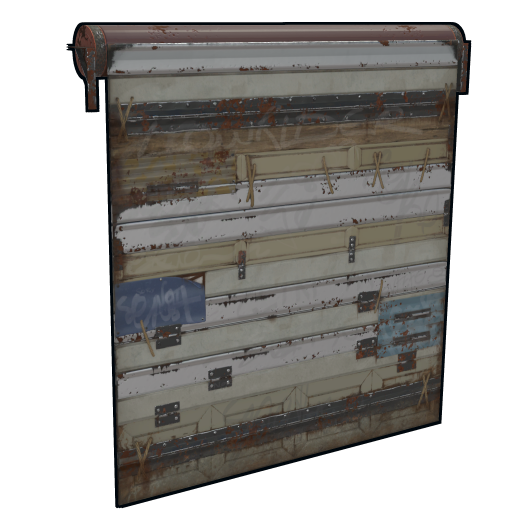 closes automatically.
The timer has a second input that force-toggles it on and holds it open regardless of the countdown — useful for "stay lit while someone is in the room" logic where a sensor keeps re-triggering. Each fresh trigger pulse restarts the countdown from full, so a repeatedly-tripped laser detector keeps a light on indefinitely and only times out once the area is clear. Combine a timer with a memory cell to build proper airlocks: button opens the inner door, a timer closes it after N seconds, and a blocker prevents the outer door opening while the inner is still cycling.
XOR / AND / OR switches
Each: 100 metal frags . XOR and OR: Workbench 1 . AND: Workbench 2 .
Function: standard logic gates. Two inputs, one output.
- AND: output is on only when both inputs are on
- OR: output is on when either input is on
- XOR: output is on when exactly one input is on (not both, not neither)
Use AND for "two keypresses required to open door." Use OR for "any one of three switches turns on the light." XOR is rarer — useful for "this switch OR that switch but not both."
Gates pass the amount of power on the dominant input, not a fixed 1 rW token, so they can sit directly in a power-carrying line. The AND gate outputs the lower of its two inputs (both must be live), the OR gate outputs whichever input is live, and the XOR outputs only when exactly one input is live. Stacking gates builds genuine combination logic: three AND gates in series make a three-factor lock, and an OR fed by several sensors makes a "any zone breached" master alarm. The blocker completes the set as a NOT gate — together AND, OR, XOR and NOT cover every boolean expression you could want in a base.
Blocker
Cost: 1 HQM . Workbench 2 .
Function: passes power only when a separate "blocking" input is OFF. Inverts.
Wire your switch into the blocker input. When the switch is on, power is blocked from the main line. Effectively a NOT gate.
Smart switch / smart alarm
Smart switch 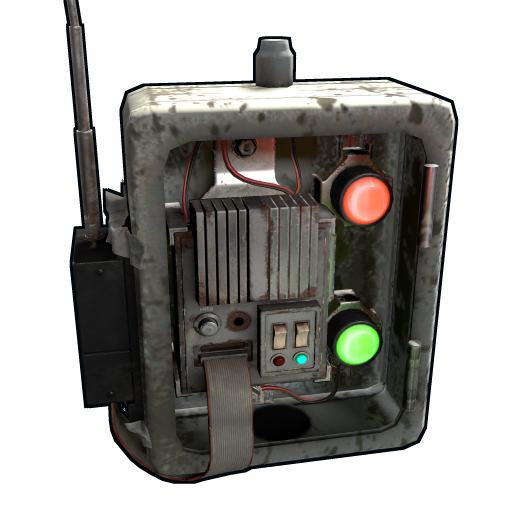 cost: 3 HQM , 1 tech trash . Workbench 2 . Pairs with the Rust+ companion app.
Smart alarm
cost: 3 HQM , 1 tech trash . Workbench 2 . Pairs with the Rust+ companion app.
Smart alarm  cost: 3 HQM, 1 tech trash. Workbench 2. Sends a notification to your phone via Rust+.
Smart components let you toggle stuff (or get pinged) when you're not in-game. Smart alarm wired to a door sensor = phone notification when someone opens your front door. Smart switch wired to your auto-turret circuit = remote arm/disarm.
Pro tip: Rust+ also lets you see TC  and turret status remotely. Use it. The Rust+ pairing key is in the inventory tab of the game.
Outputs / loads
Auto turret
Cost: 10 HQM , 1 CCTV camera, 1 targeting computer. Workbench 2 . 1000 HP.
Power draw: exactly 10 rW (server-verified). Feed 11+ rW so at least 1 rW is left to pass through the logic outputs (Has Target, Low Ammo, No Ammo), which activates them.
Loaded weapon: any SMG, rifle, or pistol. MP5  or HMG-tier weapons recommended. Since the July 2026 Common Ground update, a turret fitted with a burst-only weapon (the M16A2) fires in bursts like the gun itself — factor that firing rhythm in when picking the gun.
Common mistake: powering at exactly 10 rW. You get the turret but not its alerts. Always feed 11+ rW.
The turret has a defined cone of fire. Aim it at the entry path. Multiple turrets at crossing angles cover a base entrance.
Pro tip: put turrets in armored window frames so they have line of sight but cover. A turret in an embrasure-style frame survives several rocket  impacts before dying.
SAM site
Cost: not player-craftable. Buy it at Bandit Camp for scrap  or pull it from monument loot (locked crates, heli/Bradley drops).
Power: 25 rW.
Ammo: SAM ammo. Targets minicopters, scrap helicopters, and the patrol helicopter.
or pull it from monument loot (locked crates, heli/Bradley drops).
Power: 25 rW.
Ammo: SAM ammo. Targets minicopters, scrap helicopters, and the patrol helicopter.
For clan compound airspace denial. Solo bases don't need a SAM unless they're being heli-griefed.
Heater (ceiling)
Cost: 200 metal frags . Workbench 1 .
Power: 2 rW.
Effect: keeps a room above freezing for biome temperature mechanics. Mostly cosmetic past early-game.
Electric furnace
Cost: 200 metal frags , 5 high-quality metal . Workbench 2 .
Power: 3 rW continuous while smelting.
Effect: smelts at the rate of a small furnace  but takes any ore, won't burn wood (it just sits in the slot), and can't be turned off by a sprinkler. Big upgrade from coal furnaces because it doesn't need fuel — it needs electricity.
Pro tip: electric furnaces 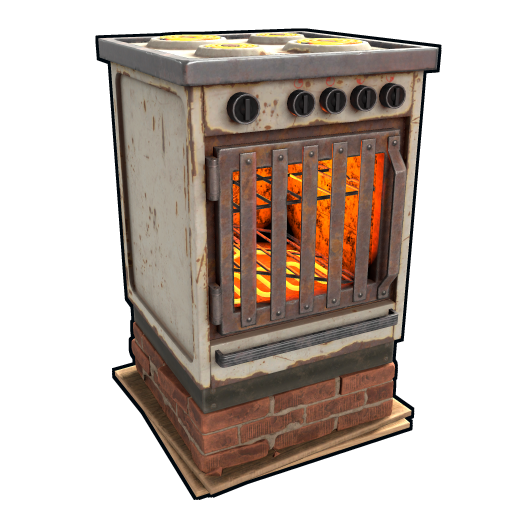 in a small dedicated furnace room work well with a large solar +battery rig. Plug one furnace into a battery output (3 rW) and let it smelt overnight without you watching it.
Ceiling light
Cost: 50 metal frags . Workbench 1 .
Power: 1–5 rW depending on brightness/configuration. The default is 1 rW.
Basic lighting. Daisy-chain ceiling lights via branches to save wire runs.
Search light
Cost: 500 wood , 200 metal frags . Workbench 2 .
Power: 10 rW.
Effect: spotlight you can rotate manually. Good for base perimeter at night.
Siren light
Cost: 1 HQM . Workbench 2 .
Power: 2 rW.
Effect: spinning red strobe. Cosmetic but useful as alarm visual.
Telephone
Cost: 100 metal frags , 50 wood , 1 tech trash . Workbench 1 .
Power: 1 rW.
Effect: in-game phones can call other phones. Add a phone in your bunker, another at the front door — get a call when someone presses the button.
Fluid system components
Water Pump, Fluid Switch and Powered Water Purifier are electrical devices that move and treat water rather than carrying a power load. They get their own full section below — see Fluid system: pumps, switches and purifiers.
Tesla coil
Cost: 3 HQM , 1 tech trash . Workbench 2 . 250 HP.
Power: 25 rW (server-verified draw).
Effect: zaps anyone in contact. Mounted on walls/floors.
Use in narrow corridors. A tesla coil 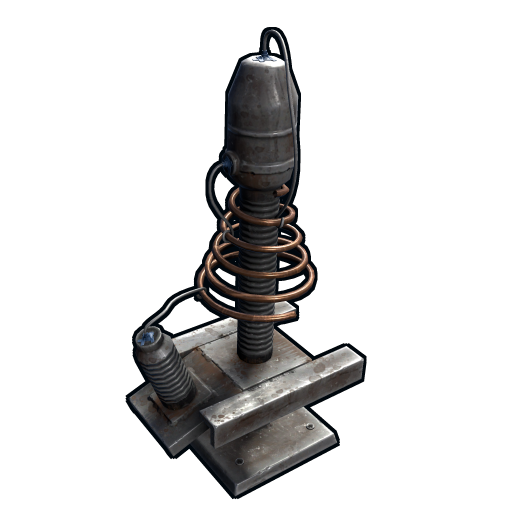 in a bunker corridor with a pressure plate trigger is the meanest defense in the game per scrap spent.
Pressure plate
Cost: 1 HQM . Workbench 2 .
Power: 1 rW.
Effect: outputs power when stepped on.
The trigger for almost every base trap.
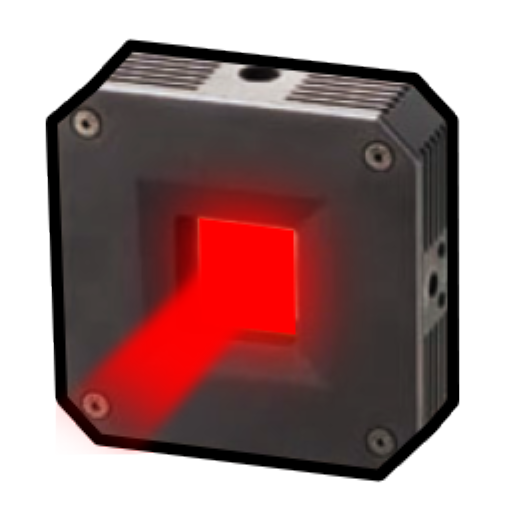
Laser detector
Cost: 75 metal frags . Workbench 2 .
Power: 5 rW.
Effect: outputs power when the beam is broken.
Cleaner than a pressure plate because it triggers on entry, not on standing. Pair with a timer .
Door controller
Cost: 75 metal frags . Workbench 1 .
Power: 1 rW.
Effect: an electronic interface for a door. Open/close via power signal.
Wire a door controller to a button, switch, or RAND for remote door control. Combined with timers , makes an airlock.
Power math: planning a circuit
Pick your loads, sum the rW, oversize source by 20% for battery loss, oversize battery storage for the longest "no-source" interval.
Example: solo base with 1 auto-turret (10 rW), 4 ceiling lights (5 rW), 1 heater 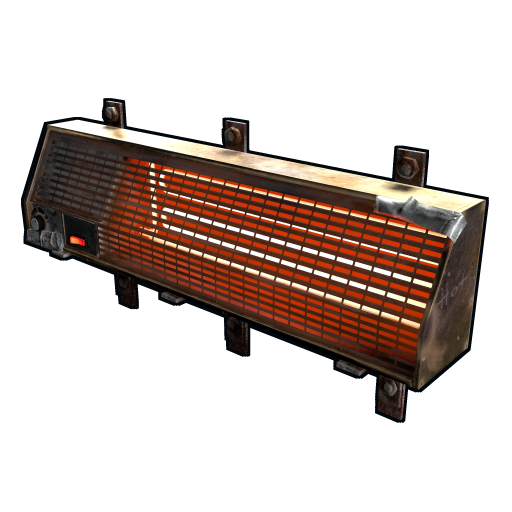 (2 rW), 1 SAM (25 rW for clan bases only — skip for solo). Solo total: 17 rW continuous load.
Source: 1 solar panel (peak 20 rW, average ~12 rW over a day cycle, 0 at night) + 1 wind turbine on a tall pillar (~80 rW average if elevated). Combined daytime input: ~92 rW average.
Storage: 1 large battery (24,000 rWm capacity). At 17 rW continuous load, 24,000 rWm lasts 24,000/17 = ~1,400 minutes = ~23 hours. Plenty of buffer for nights and bad-wind days.
The system is over-engineered for a solo. That's fine — you only build it once.
The rW budgeting method, step by step
Budget every electrical build the same way, in five steps:
- List loads and sum their rW. Use the device's real draw — auto-turret 10 (feed 11+ for alerts), search light 10, electric furnace 3, ceiling light 1–5, SAM 25. This sum is your continuous load.
- Add the storage tax. Multiply the load by 1.25 to cover the ~20% battery round-trip loss. That figure is the source output you must average during daylight.
- Size the source. Solar averages ~12 rW per panel over a cycle; an elevated wind turbine averages 60–120 rW. Pick a combination whose daytime average clears your taxed number with margin.
- Size storage for the dark gap. Continuous load (rW) x worst-case no-source minutes = required rWm. Add 20%.
- Simulate before you build. Lay the circuit out on rustrician.io, set day length, and confirm the battery never hits zero across a full cycle.
| Common load | rW draw | Notes |
|---|---|---|
| Auto turret | 10 (use 11+) | Below 11 rW the logic outputs are dead |
| SAM site | 25 | Clan airspace defense |
| Electric furnace | 3 | Only while smelting |
| Search light | 10 | Manually rotatable spotlight |
| Ceiling light | 1–5 | Default 1 rW |
| Tesla coil | 25 | Server-verified draw |
| Heater / siren / pressure plate / door controller | 1–2 | Trivial trigger-tier draws |
Common electrical mistakes
Almost every "my electricity is broken" problem traces to one of these:
- Loads wired straight to a solar panel. The panel drops to 0 rW the instant the sun sets — every load flickers off. Always interpose a battery.
- Powering an auto-turret at exactly 10 rW. It turns on but its Has Target / Low Ammo / No Ammo logic outputs stay dead. Feed 11+ rW.
- Using a splitter where a branch belongs. A splitter divides evenly across its wired legs and any underdrawn share is wasted; a branch peels an exact amount with zero loss. Default to branches.
- Wind turbine mounted low. A turbine in a valley or below the roofline outputs single digits even though the placement check passed. Output is purely terrain-elevation driven — stack pillars.
- Branch set below the load's draw. A branch dialed to 5 rW feeding a 10 rW turret leaves the turret off. Set the branch to the device's exact draw.
- Forgetting the 30 m / 16-waypoint wire cap. Long runs go red and refuse to connect. Use a branch or battery as a relay to start a fresh run.
- Exposed batteries and sources. Batteries and panels die to small-arms fire. Seal them in armored rooms or rooftop pillboxes.
- Reversed input/output sockets. Power only flows source-to-load; wiring a component backwards leaves it showing "no power." Always wire from the source side.
Wiring rules and gotchas
- 30 meter limit per wire run. Use branches as relays for longer distances.
- 16 pinned waypoints per run. Plan your runs to be roughly straight; zigzagging burns through pin count.
- No tunneling through walls. Wire passes through wall pieces but not through foundation pieces. Frames are wire-passable.
- No carrier through ladders or hatches. Plan wire paths around vertical travel.
- Branch settings need to be exact. Set the branch to the device's actual draw, not a guess. A branch set to 5 rW serving a 10 rW load delivers 5 rW and the load underdraws (auto-turrets at 5 rW are off).
- Power direction matters. Wire always flows source-to-load. Some components have input/output sides (the splitter has 1 input, 3 outputs; the AND has 2 inputs, 1 output) — visually distinguished by socket type.
- Use rustrician.io to plan circuits before building. It's a free browser-based circuit simulator with the full Rust component library and accurate rW math.
Common circuit recipes (cross-reference)
Detailed wiring diagrams for these live in 06_Automation_Circuits.md:
- Solo auto-turret pod (1 turret , 1 small battery , 1 solar , 1 wind)
- Front door light on motion (PIR pressure plate → timer → ceiling light )
- Base alarm (door open → smart alarm → phone notification)
- Trap corridor (laser detector
 → RAND → 4 shotgun traps)
 - Auto-lock door at night (light sensor + door controller)
Troubleshooting
- Turret won't power on: check that input is 10+ rW. Branches set too low cause this.
- Lights flicker at sunset: solar drops to 0 instantly. Add a battery between source and load.
- Wire won't connect: you're hitting the 30m or 16-pin limit. Check by looking at the wire color (red = invalid).
- Branch is "wasting" power: branches don't waste; a splitter only wastes when a load underdraws its equal share. If your splitter legs feed mismatched loads, switch to a branch .
- Component shows "no power" despite wire: ensure input/output direction is correct. Re-wire from source side.
Pro tips for a solo electrical build
- Mount your solar +wind on the roof of the main base, in a sealed armored pillbox so they're not destroyable by ladder access. Wire down through a foundation frame into the core.
- Keep your battery indoors. Batteries die to small-arms fire if exposed.
- Use one large battery as the central output node. Source feeds it, all loads draw from it. Cleaner wiring and simpler to debug.
- Label your switches on the wall (write on a sign next to each switch). Six months later you won't remember which switch is the turret arm.
- Rust+ pair the smart switch for your turret . Logging in to find your base under raid and arming the turret from your phone is one of the best feelings in the game.
Elevator
The Elevator is a powered modular lift that carries you vertically inside a tall base, replacing the stack of ladders that otherwise eats time and exposes you in a shaft. It is built one segment at a time: you place a base segment, then add Elevator pieces on the floors above it, and the carriage travels the full stack.
Placement. The bottom segment mounts on a floor or foundation and needs a clear vertical shaft directly above it — one open building square, floor to floor, with nothing in the carriage's path. Each additional floor gets its own Elevator segment stacked on the one below. The carriage cannot pass a blocked level, so any wall frame, doorway, deployable or loot box that intrudes into the shaft will stop it dead.
Power. The lift motor draws 5 rW to move the carriage, wired into the Power input on the base of the shaft. The draw is for the motor itself; a taller shaft does not multiply the running cost, but it does mean the carriage spends longer travelling and so the 5 rW is consumed for longer per trip. Wire it off a branch set to 5 rW so the rest of your circuit is untouched while the lift sits idle.
Call buttons. Every floor of the shaft has built-in call inputs on the side of the entrance, so you can summon the carriage to your level from any floor — there is no need to wire a separate button. You can still feed the call input from your own switch or sensor if you want automated behaviour.
Maximum height. A single elevator shaft is capped at 6 floors. For a taller base, stagger two shafts: ride one lift to floor 6, step across a landing, and board a second shaft built on top.
| Property | Value |
|---|---|
| Motor power draw | 5 rW while moving |
| Max shaft height | 6 floors / segments |
| Call inputs | One per floor, built into the entrance |
| Shaft requirement | One clear, unobstructed building square top to bottom |
Common mistakes. An obstructed shaft is the usual culprit — a single wall frame or stored crate poking into the carriage path halts the lift. No power: with the 5 rW input unfed the call buttons light but the carriage will not move. Wrong socket: the lift has a dedicated Power input on the base segment; wiring into a call input instead leaves the motor unpowered. And remember the 6-floor cap — trying to stack a seventh Elevator segment simply will not place.
RF system: transmitters, receivers and pagers
The RF (radio frequency) family lets one circuit talk to another with no wire between them. Every RF device is tuned to a frequency from 1 to 9999. Devices only interact when their frequencies match — pick an uncommon number, because anyone on the server who guesses your frequency can listen in or trigger your circuit.
RF Transmitter and RF Broadcaster
These are the senders. An RF Broadcaster is a wired component: when it receives power it emits a wireless signal on its set frequency, and it stops broadcasting the moment power is cut. An RF Transmitter is a handheld/inventory item that broadcasts on its frequency while you hold the activate control — useful for manually firing something at range, such as detonating a charge.
RF Receiver
The RF Receiver is the listener. When it hears a signal on its own frequency it energises its Power Out, driving whatever is wired to it; when the signal stops the output drops. In effect a Broadcaster and a Receiver set to the same frequency behave like a wire that crosses any distance — even map-wide.
| Device | Role | Behaviour |
|---|---|---|
| RF Broadcaster | Sender (wired) | Broadcasts on its frequency while powered |
| RF Transmitter | Sender (handheld) | Broadcasts while you hold activate |
| RF Receiver | Listener (wired) | Powers its output while it hears the matching frequency |
| RF Pager | Listener (inventory) | Beeps/vibrates when it hears the matching frequency |
RF use cases
- Remote door control. A Broadcaster fired by a switch at one end of the base, a Receiver wired to a door controller at the other — no 30 m wire run, no relays.
- Wireless raid alarm. Wire a door sensor or HBHF sensor into an RF Broadcaster, and carry an RF Pager tuned to the same frequency. When someone breaches, the pager beeps in your inventory wherever you are on the map — the cheapest off-base raid alert in the game. Pagers can be set to silent so only the on-screen prompt shows.
- Triggering distant circuits. Any output — a trap array, a siren, a lighting bank — can be driven by a Receiver, letting one Broadcaster fan a single action out to several disconnected circuits at once.
Igniter
The Igniter is a small electrical device that lights nearby flammable deployables automatically. When it receives power it sparks, and every furnace, campfire, fireplace, oil refinery, firework and similar lightable object within roughly a 1 foundation radius is ignited if it is not already lit.
It draws 2 rW while running. Place it centrally among the deployables you want it to serve — the radius is small, so a tight cluster works best. Note the Igniter takes damage while it is on and burns out after about 16-17 minutes of continuous running, so it is not a permanent fixture; gate it behind a switch or timer so it only fires when you actually need to relight a setup.
Automated smelting. The Igniter's main job is hands-off ore processing. Surround it with small or large furnaces, fill them with ore and wood, and a single power pulse lights the whole bank at once — no clicking each furnace. Pair it with a timer or a switch so you can relight a cooled furnace array from one input. (For fuel-free smelting that needs no Igniter at all, see the Electric furnace above.)
HBHF sensor (heartbeat sensor)
The HBHF (Heart Beat / Human Friend / Foe) sensor detects players within its radius and turns that into a power signal. It is the standard automatic trigger for turret circuits and raid alarms.
Detection radius. The sensor sees players within about a 10 m sphere (roughly 3.5 foundations). Detection generally needs line of sight, so position it to overlook the area you care about — a doorway, a corridor, the airlock.
Filtering. The sensor is configurable so it only reacts to the players you care about. It can be set to detect Authorized players (those on the tool cupboard), Hostile/Unauthorized players, Friendly players, or All. For a defensive trigger you set it to fire on non-authorized players only, so your own movement does not constantly trip the circuit.
Power output. The sensor's output is scaled to the number of matching players it detects — one player gives 1, three players give 3, and so on. That makes it both a simple trigger ("anyone there?") and a crude counter for how many intruders are present.
| Property | Value |
|---|---|
| Detection radius | ~10 m (~3.5 foundations), line of sight |
| Filter modes | Authorized / Hostile / Friendly / All |
| Output | Power scaled to number of players detected |
Use cases. Wire an HBHF sensor through an AND gate into an auto-turret so the turret only arms — and only draws its 10+ rW — when a stranger is actually in range, which saves power on a tight circuit. Feed it into a smart alarm or RF Broadcaster for a raid alert that fires the instant someone steps into the kill zone. A detailed power-saving turret-arming circuit is covered on the Automation Circuits page.
Fluid system: pumps, switches and purifiers
The fluid system is a separate plumbing network that runs alongside electricity. Water moves through pipes between collection, treatment and delivery devices; some of those devices are electrical, which is why they belong on this page. The system obeys gravity — water flows downhill on its own, and you only need a powered pump to push it up.
Water Pump
The Water Pump pulls water from a source — a river, lake or the ocean — into the pipe network. It collects on the order of 150 ml per minute. By default moving water needs no power if gravity does the work, but to pump water upward you must feed the Pump Power input about 1 rW. Place the pump at the waterline and run pipe from its output toward your base.
Powered Water Purifier
Salt water cannot be drunk and will reset a planter's moisture, so ocean water must be treated. The Powered Water Purifier converts salt water to fresh drinking water at a 2:1 ratio — it consumes two units of salt water for every one unit of fresh water produced — and draws about 5 rW to run. It is the only practical way to turn coastal water into something your sprinklers and planters can use; river water is already fresh and skips this step.
Fluid Switch and Fluid Combiner
The Fluid Switch & Pump is the on/off valve of the network: it lets water pass when open and stops it when closed, and it can be toggled by hand or by an electrical signal — so a switch, timer or sensor can gate your water just like it gates power. Supply its Pump Power input if the same device also needs to lift water. The Fluid Combiner merges several inputs into one output, letting you pool multiple water catchers or pumps into a single feed line.
| Device | Power | Function |
|---|---|---|
| Water Pump | ~1 rW (only to pump up) | Draws water from a source into the pipe network (~150 ml/min) |
| Powered Water Purifier | ~5 rW | Converts salt water to fresh at a 2:1 ratio |
| Fluid Switch & Pump | ~1 rW (only to pump up) | Valve; opens/closes flow manually or by electric signal |
| Fluid Combiner | None | Merges several fluid inputs into one output |
Routing water to sprinklers and planters. A typical farm chain runs: Water Pump (or water catchers via a Fluid Combiner) → pipe → Powered Water Purifier if the source is salt water → Fluid Switch to gate the flow → pipe up to the sprinkler heads or directly into large planter boxes. Because gravity carries water down for free, mount your storage or treatment high and let the planters sit below it, and reserve powered pumping for the one leg where water has to climb. Full crop-watering layouts are covered on the Horticulture page.