Industrial
Last updated: July 16, 2026
The Industrial Update gave Rust a real automation backbone. Conveyors 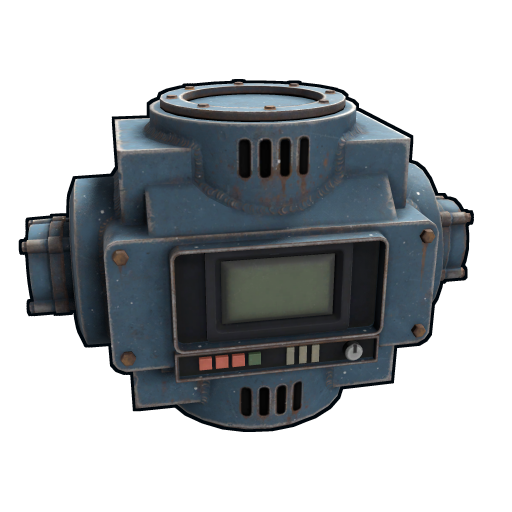 move items between storage. Filters route specific items to specific containers. Industrial crafters
 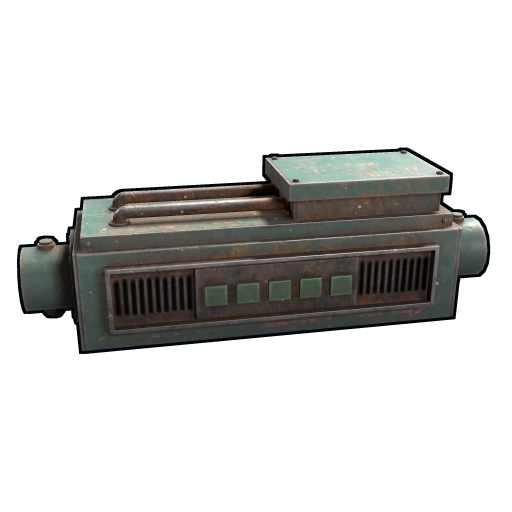 auto-craft recipes from input materials. Pipes connect everything. The whole system runs on power (rW) and has a few hard limits you can't engineer around — most importantly, a single conveyor network maxes at 16 containers and storage adapters in/out.
This file covers the components, the limits, the wiring, and the common networks that actually pay off (auto-sort, auto-smelt, auto-craft, auto-recycle).
The components
Industrial conveyor
Cost: 75 metal frags  . Workbench 1
  . Researches for 15 scrap
  at a research table (125 scrap via the tech tree).
Power draw: 1 rW.
at a research table (125 scrap via the tech tree).
Power draw: 1 rW.
The mover. A conveyor pulls items from any container connected to its input via storage adapter and pushes them to any container on its output side. Conveyors have built-in filters (12 slots) — set what items or categories should pass through. Empty filter = everything passes.
Conveyors do not connect directly to other conveyors. They connect through containers — one conveyor outputs into a box, the next conveyor's storage adapter taps that box.
Default move frequency: 5 seconds. Once every 5 seconds, the conveyor attempts to move up to 60 items per stack, across up to 12 stacks per tick, from each input container to each output container that passes the filter. The move frequency is server-side configurable (server.conveyormovefrequency) and the per-tick stack cap is server.maxitemstacksmovedpertickindustrial (default 12; each Storage Adapter on a container adds +12). On Facepunch official it's 5s.
Conveyor filter modes: exact item vs category
The filter is the brain of the conveyor . Each of the 12 slots holds either an exact item (only that one item ID passes) or a category (every item the game tags into that group passes). Categories are broad on purpose: dropping the "Weapon" category into one slot routes every gun, melee, and bow in a single move, while "Resources" sweeps wood, stone, metal ore, sulfur, cloth, and leather all at once. Exact-item filtering is the opposite — surgical. If you only ever want Tech Trash  in a box, set that exact item and nothing else will leak in.
Every filter slot also carries two optional numeric fields that most players never touch:
- Max amount — the conveyor stops sending an item once the destination container already holds this many. Set 5.56 ammo to a max of 384 and a turret box
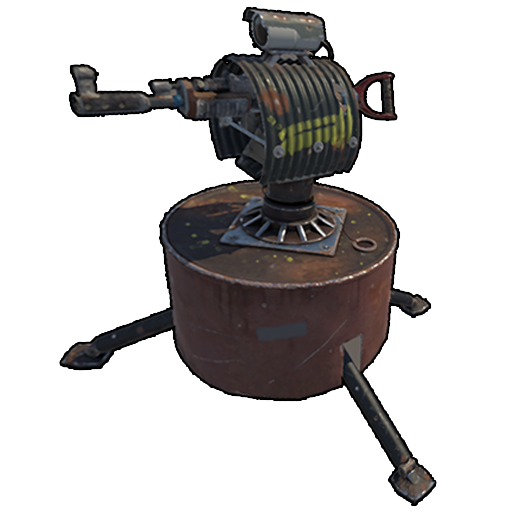 never overflows; the surplus stays upstream for you to use.
 - Min amount — the conveyor only moves the item once at least this many have accumulated in the source. Useful for batching: don't ship 3 sulfur at a time, wait for a full 1,000 stack.
- Leave both blank and the slot moves the item whenever it appears, capped only by the 32-per-stack tick limit.
Empty filter = everything passes. This trips up new players constantly — an unconfigured conveyor is not "off," it is "move literally everything." If you want a conveyor idle, cut its power or leave a port unconnected; do not rely on an empty filter to hold items back.
Storage adapter
Cost: 100 metal frags . Workbench 1 . No gears or wire needed (server-verified).
Power draw: 0 (no rW needed).
The "tap" that connects a container to a pipe. Place on the side of a box, a furnace  , a workbench output slot, or a recycler. Connect adapters to conveyors with industrial pipes
  .
.
A container with a storage adapter is "in the network." It can also still be opened and used manually.
Since the July 2026 Common Ground update, vending machines, fridges, and wall cabinets also accept storage adapters. That closes gaps that used to need manual hand-offs — a fridge can sit at the end of a food-sorting loop as a piped destination, and a vending machine can be restocked by conveyor from a bulk supply box (the automated vending machine section below covers that build). An adapter on any of the three counts against the 16-adapter network cap like any other container.
Industrial crafter
Cost: 3 high-quality metal 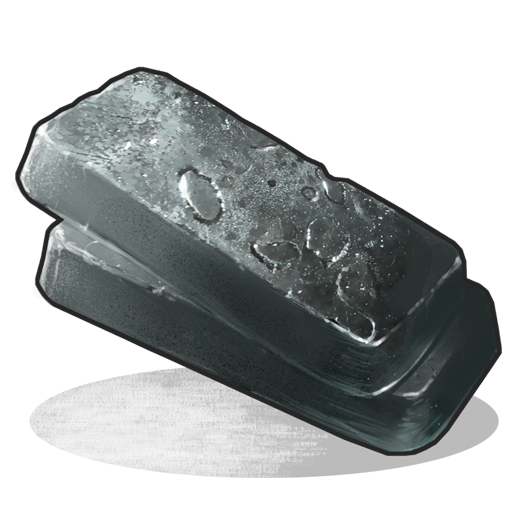 , 2 tech trash . Workbench 2
 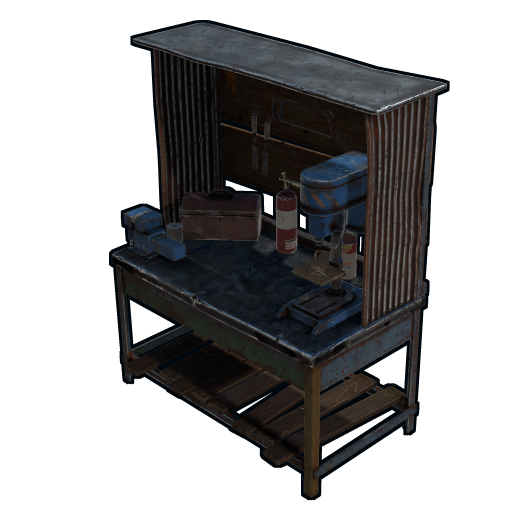 . Researches for 250 scrap .
Power draw: 1 rW (flat, continuous).
. Researches for 250 scrap .
Power draw: 1 rW (flat, continuous).
Auto-crafts a single recipe of your choice. You select an item via the crafter UI (anything in your researched/blueprinted recipes), feed in the ingredients via conveyor input, and finished items come out the output port.
Default craft frequency: 5 seconds per craft. Configurable via server.industrialcrafterfrequency.
A single crafter handles one recipe. Want to auto-craft three things? Three crafters in parallel.
Industrial combiner
Cost: 75 metal frags . Workbench 1 .
Function: merges 3 pipe inputs into one output. Free, no power.
For when you want multiple sources feeding the same container.
Industrial splitter
Cost: 75 metal frags . Workbench 1 .
Function: takes one pipe input and routes to 3 outputs. Free, no power.
Use sparingly — splitters are for symmetric routing. Most networks use conveyor filters instead.
Component cheat sheet
The six industrial components and what each one actually does, at a glance:
| Component | Power draw | Ports | Job |
|---|---|---|---|
| Storage adapter | 0 rW | 1 pipe port | Taps a container into the network. Passive — no power, no logic. |
| Industrial conveyor | 1 rW | 1 in / 1 out + power | The only mover. Pulls from input adapters, filters, pushes to outputs. |
| Industrial crafter | 1 rW | 1 in / 1 out + power | Auto-crafts one selected recipe from piped-in ingredients. |
Industrial combiner 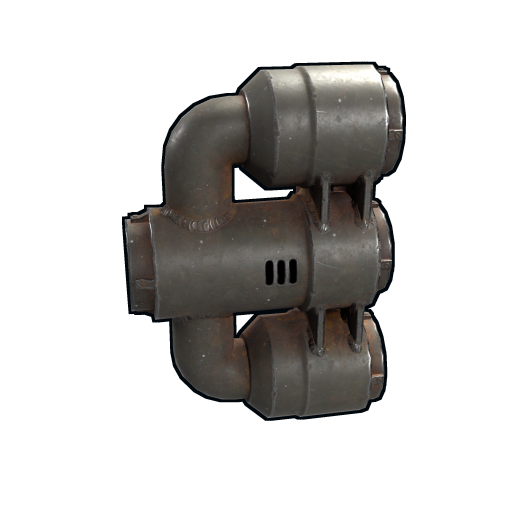 | 0 rW | 3 in / 1 out | Merges up to three pipe inputs into one output line. |
Industrial splitter 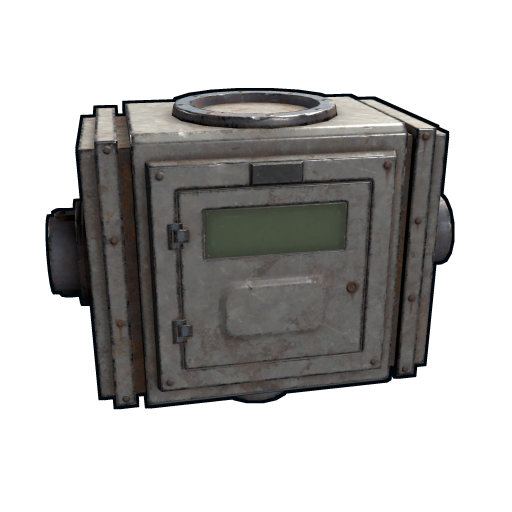 | 0 rW | 1 in / 3 out | Splits one input evenly across three output lines (round-robin). |
| Industrial pipe | 0 rW | — | The physical link. Carries items between any two ports. |
Combiner vs splitter — when to reach for each. The combiner solves a real port-count problem: a conveyor has only one input port, so if three separate boxes all need to feed the same conveyor, a combiner funnels them down to the single pipe the conveyor expects. The splitter does the reverse for outputs — one conveyor output fanned to three destinations. Crucially, neither device filters: a combiner mixes everything that arrives, and a splitter distributes blindly in a round-robin. They move items, they do not sort. For anything that requires "this item here, that item there," you must use conveyor filters. The classic correct use of a splitter is feeding three identical electric furnaces 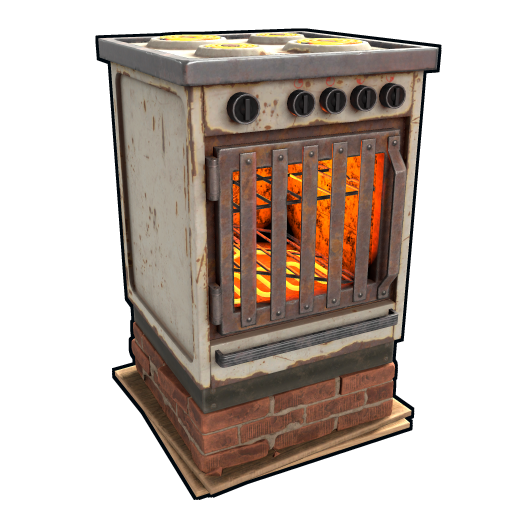 equally from one ore box.
Industrial pipes
Pipes are placed with the dedicated Pipe Tool (2 HQM, Workbench 1) . Hold the Pipe Tool, click one industrial port, then click another; the pipe generates between the two points. Pipes connect storage adapters to conveyor ports.
Length isn't limited the same way as wires, but you'll want pipes to be relatively short and clean for performance and ease of debugging.
Pipe routing rules
Pipes look cosmetic but follow firm rules that decide whether a network works at all:
- Direction is set by where you start the pipe. Begin a pipe at an output port and drag to an input port — the item flow follows that direction. Reversing it means re-running the pipe; you cannot flip flow after placement.
- One port, one pipe. A conveyor input or output port accepts a single pipe. To gather multiple sources into one port, route them through a combiner first; to feed multiple destinations from one port, use a splitter.
- Pipes ignore walls and floors. They route through structures freely, so you can keep the noisy conveyor room separate from your loot core and still pipe between them. Keep runs short anyway — long tangled pipe spaghetti is the number-one cause of "which pipe goes where" debugging pain.
- Pipes carry no power. Electricity wires (Wire Tool) and industrial pipes (Pipe Tool) are separate systems. A pipe never powers a conveyor; you still need a dedicated electrical wire to each conveyor's power port.
- Storage adapters are mandatory endpoints. A pipe must terminate on an adapter, a conveyor port, a crafter port, or a combiner/splitter port. You cannot pipe directly into a bare box.
- Pipe length is generous but not free. Unlike electrical wire there is no strict per-segment limit, but excessively long pipes hurt readability and make rewiring miserable. Plan the room layout so adapters sit near their conveyor.
The hard limits
16 containers per network
This is the most-misunderstood rule in the system. A single connected industrial network can have a maximum of 16 storage adapters total (inputs + outputs). A conveyor with 4 input adapters and 4 output adapters takes 8 of your 16. Add a crafter (2 adapter ports — input and output) and you're at 10. Add another conveyor with 4 in / 2 out and you're at 16. That's your network.
To exceed 16, build separate isolated networks. Each conveyor that's not pipe-connected to another conveyor is its own network. So a typical mid-game base has 2–4 small networks rather than one giant one.
Why 16, and how to count it correctly
The 16-container ceiling exists for one reason: server performance. Every tick, a conveyor walks its entire connected graph of containers, checks filters, and computes moves. Left uncapped, a single mega-network could touch hundreds of inventories every few seconds and stall the server. Facepunch settled on a hard limit: a conveyor will only ever "see" the first 16 storage adapters it can reach through the pipe graph, counting inputs and outputs together.
The trap is that the limit is per network, not per conveyor. Because conveyors share containers (one conveyor's output box is the next conveyor's input box), two conveyors linked through a shared box are part of the same network and share the same 16-adapter budget. Daisy-chain four conveyors through shared boxes and all four are competing for those 16 slots. If you place a 17th adapter, it is not an error and nothing breaks visibly — the conveyor simply ignores it, and items in that container silently never move. This is the single hardest industrial bug to diagnose.
How to count your budget correctly:
- Count adapters, not boxes. A box with adapters on two sides eats two of your 16.
- A crafter contributes its input and output as adapter-equivalents — budget it as 2.
- Combiners and splitters are pass-through routing and do not consume a container slot themselves — but everything they connect to does.
- If you need a 17th container, the fix is never "rewire" — it is "build a second, physically separate network." Two conveyors that never share a container are two independent networks, each with its own fresh 16-slot budget.
Practical consequence: stop trying to build one omniscient base-wide network. Experienced players run several small, single-purpose networks — one for sorting, one for smelting, one for ammo crafting — each comfortably under 16. Small networks are also dramatically easier to debug, because a fault is contained to one chain.
60 items per stack, 12 stacks per tick
Conveyors move up to 60 items per stack per tick, across up to 12 stacks each tick (every 5s). So a single stack of 1,000 sulfur  takes ~17 ticks (≈1.4 minutes) to fully move. Plan accordingly.
12 filter slots per conveyor
Each conveyor has 12 filter slots. A slot can be an exact item ("Tech Trash ") or a category ("Components"). Categories filter broadly: Components catches all loot crate components (springs  , gears, rifle bodies, etc.) in one slot.
Conveyors don't connect directly
You must have a storage adapter (and therefore a container) between any two conveyors . This is the rule that limits network sprawl.
No conveyor pulling from a conveyor
Same constraint, different phrasing. The "pull" happens on the input side of a conveyor and the source must be an adapter on a container.
Common networks
Auto-sort: deposit anywhere, sorted everywhere
The killer network. You walk into your base with a backpack full of loot, dump it all into one "drop box" near the entrance, and 30 seconds later it's distributed to component box, weapon box, food box, ammo box, etc.
Layout (one network, 12 adapters total):
- Drop Box (1 adapter on side, output to conveyor )
- Conveyor 1 (filter: Components → output to Component Box adapter)
- Component Box (1 adapter)
- Conveyor 2 daisy from Components Box overflow → Weapons (filter: Weapons → output to Weapon Box)
- Weapon Box (1 adapter)
- ... and so on
You build this once per wipe, takes 30 minutes and roughly 1.5k frags (12 adapters at 100 frags each plus conveyors; adapters need no gears or wire), and saves you literally hours of manual sorting across the wipe.
Pro tip: put a "garbage" box at the end of the chain that catches anything not filtered. That's where you find the items you should have set up a filter for.
Auto-smelt
A network that takes raw ore from a drop box, feeds it to multiple furnaces (electric furnaces are the play — see 03_Electricity.md), and outputs ingots to a smelted-metal box.
Layout (one network, 8 adapters total):
- Ore Box (1 adapter, output)
- Conveyor (no filter, send everything) → Electric Furnace 1 input adapter
- Electric Furnace 1 output adapter → Conveyor → Smelted Box
- Repeat for Furnace 2, Furnace 3...
The electric furnace 's big advantage here: it doesn't burn wood  as fuel, so wood in your input stream just sits in the slot (or gets filtered out by a conveyor filter set to "metal ore, sulfur ore, hqm ore"). And it can't be turned off by a sprinkler accidentally, which matters for greenhouse-integrated bases.
Auto-craft: turn ore into gunpowder into ammo
Multi-stage networks where one crafter 's output feeds the next crafter's input. Classic example:
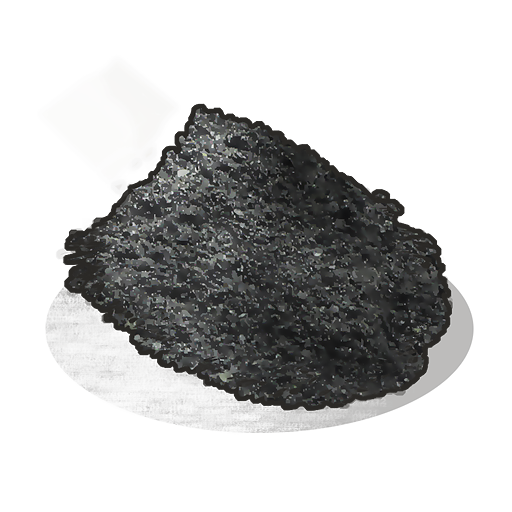
1. Sulfur + Charcoal  → Crafter 1 → Gunpowder
  2. Gunpowder + Metal Frags → Crafter 2 → Explosives
3. Explosives + tech trash + low-grade → Crafter 3 → C4
2. Gunpowder + Metal Frags → Crafter 2 → Explosives
3. Explosives + tech trash + low-grade → Crafter 3 → C4 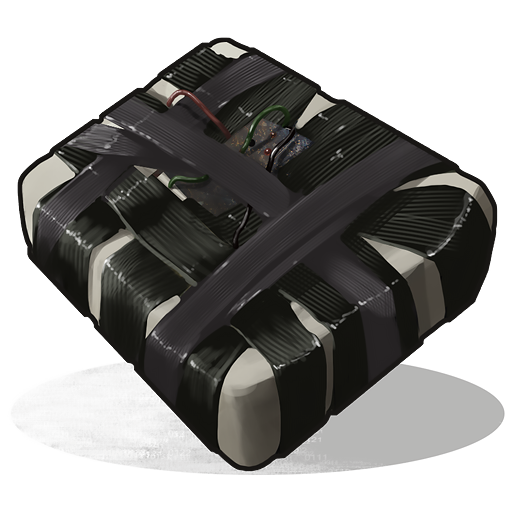
You'd run this as 3 separate networks (or 1 carefully laid out with combiners 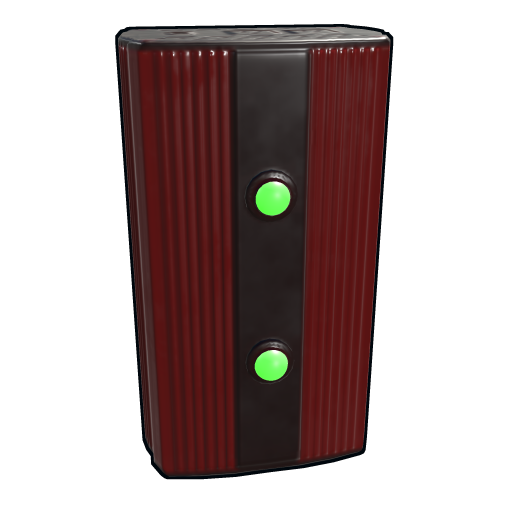 ) because each crafter is 2 adapter slots and the chain quickly eats the 16-adapter budget.
Building the four flagship networks — start to finish
Below is the exact build order for each automation network most bases want. Every one fits inside a single 16-adapter network.
Auto-sort (deposit anywhere, sorted everywhere).
- Place one drop box at your base entrance and 4–6 destination boxes (components, weapons, ammo, resources, medical, garbage).
- Put a storage adapter on the drop box and on every destination box.
- Place one conveyor per destination box. Pipe the drop box adapter into conveyor 1's input; pipe conveyor 1's output into the components box.
- Chain the rest: each conveyor pulls from the previous destination box and pushes to the next, each with its own category filter.
- Order filters from most-specific to least: exact items first, broad categories last, leave the final conveyor empty so it sweeps leftovers into the garbage box.
- Power every conveyor (1 rW each), then test by dropping five mixed items and watching the chain.
Auto-smelt.
- Place an ore intake box, 2–3 electric furnaces , and a smelted-output box.
- Adapter on the intake box and on each furnace; a splitter after the input conveyor feeds all furnaces evenly.
- Input conveyor filters for metal ore, sulfur ore, and a little wood as fuel; the splitter distributes ore round-robin across furnaces.
- A second conveyor pulls finished metal/charcoal from the furnace outputs into the output box, filtered for the refined products only so unburnt ore stays cooking.
- Power furnaces and conveyors, then just dump raw ore in the intake and walk away.
Auto-craft (ore to gunpowder to ammo).
- One crafter set to Gunpowder, a second crafter set to 5.56 Rifle Ammo. One crafter, one recipe — chain them.
- Conveyor feeds sulfur + charcoal into the gunpowder crafter input. Gunpowder crafter output pipes into a buffer box.
- Conveyor pulls gunpowder + metal frags from the buffer into the ammo crafter input.
- Ammo crafter output flows to a turret-feed box, with a Max amount on the filter so the box never overflows.
Auto-recycle (loot to scrap).
- Adapter on a loot intake box and on the recycler input slot; a second adapter on the recycler output.
- Input conveyor filters for the Components category so only recyclable junk gets fed and your guns are never destroyed.
- Output conveyor pulls scrap and high-quality metal into a storage box.
- Recyclers self-power, so the only rW cost here is the two conveyors. Wire a switch to toggle the recycler on demand.
Auto-recycle: turn loot into scrap
Place a recycler (Workbench 3 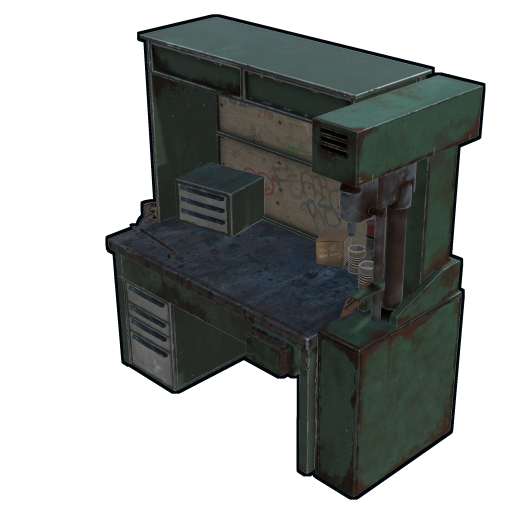 craftable, 500 metal frags , 75 HQM , 2 gears, 1 sewing kit
  ). Storage adapter on the input side, storage adapter on each of the 6 output slots (or combine outputs via combiners ). Conveyor feeds your "to-recycle" box into the recycler input. A second network catches outputs.
Common mistake: thinking you can put adapters on every recycler output slot. You can — but each one counts against the 16 limit. Most setups combine all 6 recycler outputs into a single pipe via combiners , then output into one "scrap and parts" box.
Auto-load auto-turrets
Crafter set to craft 5.56 rifle ammo  (charcoal + gunpowder + frags ). Output pipes to a box. Conveyor pulls from that box and feeds the auto-turret 's storage slot. Your turrets reload themselves overnight from your sulfur /charcoal stockpile.
Filter Pass / Filter Fail logic outputs
Each conveyor has two logic output ports: Filter Pass (powers on each time an item matches the filter) and Filter Fail (powers on each time an item is rejected). These give you free 1 rW logic signals you can use elsewhere — e.g., alarm when uncommon item enters your base by setting a filter to match "Targeting Computer" with Filter Pass wired into a smart alarm  .
.
Wiring a network — step by step
- Plan in advance. Sketch boxes and pipe paths on paper or in rustrician (which now supports industrial too).
- Place all containers. Make sure they have at least one open side for adapters.
- Place storage adapters on each container side that needs to be in the network. Snap-and-place.
- Run pipes from adapter to conveyor input ports, from conveyor outputs to other adapters.
- Power the conveyors . Each is 1 rW. A small network of 4 conveyors needs 4 rW continuous — fits within one large battery's discharge rate.
- Set conveyor filters. Open the conveyor UI by looking at it and pressing E. Drag items or categories into the filter slots.
- Test by dumping items into the input box and watching the chain.
Recipes by quick reference
| Item | Workbench | Cost |
|---|---|---|
| Storage adapter | 1 | 100 frags |
| Industrial conveyor |
1 | 75 frags |
| Industrial crafter |
2 | 3 HQM + 2 tech trash |
| Industrial combiner |
1 | 75 frags |
| Industrial splitter |
1 | 75 frags |
Research costs (scrap to learn from a workbench):
- Storage adapter: 75 scrap
- Industrial conveyor : 15 scrap (125 via tech tree)
- Industrial crafter : 250 scrap
- Combiner /splitter: 15 scrap each (125 each via tech tree)
Power budgeting
A typical solo industrial network:
- 4 conveyors × 1 rW = 4 rW
- 2 crafters × 1 rW = 2 rW
- 2 electric furnaces × 3 rW (only when smelting) = 6 rW intermittent
- 1 recycler (when running) = 0 rW (recyclers don't need external power, they self-power)
Continuous: 6 rW.
Peak with both furnaces running: 12 rW.
You need enough source + battery to sustain the peak when you actually smelt. Solution: smelt during daytime when solar  +wind output is high, let furnaces sleep at night.
More industrial pitfalls worth knowing
- Silently exceeding 16 adapters. Nothing errors — the conveyor just ignores the overflow container. If a box "won't fill," count your adapters before anything else.
- Splitting when you meant to filter. A splitter distributes blindly; it cannot send copper here and sulfur there. Mixed items down a splitter end up scrambled across all three outputs.
- Feeding raw ore past the smelter. If the furnace-output conveyor filter includes ore, it pulls unburnt ore straight out before it cooks. Filter outputs for refined products only.
- No Max amount on a turret feed. Without a cap, the conveyor crams every round you own into the turret box and you have nothing left to carry.
- Recycling your loot. An unfiltered conveyor into a recycler will happily destroy guns, tools, and clothing. Always filter the recycler input to the Components category.
- Forgetting industrial pipes carry no power. A perfectly piped network does nothing until each conveyor also has an electrical wire to its power port.
- One mega-network for the whole base. Harder to debug, hits the 16 cap instantly, and any single fault stalls everything downstream.
Common mistakes
- Trying to connect two conveyors directly. Always need an adapter+container between.
- Maxing the 16-adapter network on one giant chain. Plan smaller networks; performance and clarity both benefit.
- Filter set to category instead of specific item. Category filters catch everything in that category — that includes the trash you don't want. Use specific item filters when you only want certain items.
- Forgetting that crafters need ingredients in the correct slot. Crafters have specific ingredient slots; conveyor must filter and route correctly.
- Empty filter assumed = no movement. Empty filter = everything passes. If you want no movement, the conveyor shouldn't have a path or shouldn't be powered.
- Adapter on a workbench output expecting all 4 output slots. Each workbench output is a separate inventory slot — you can pipe from a workbench output but only what's been crafted, not from input slots.
A few quality-of-life networks worth building
- Sulfur → gunpowder → 5.56 → turret ammo box: keeps turrets fed forever as long as you have sulfur .
- Wood + ore → electric furnace bank → smelted output box: just dump raw farmed stuff and walk away.
- Component box → recycler input → scrap output box: dump loot from any monument run, scrap comes out the back end.
- Auto-cooking: animal fat
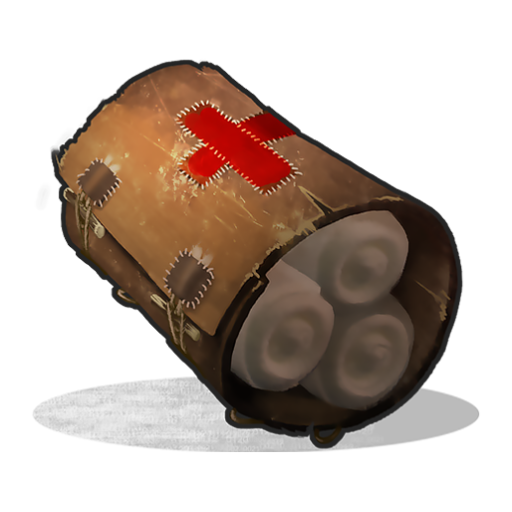
 + cloth
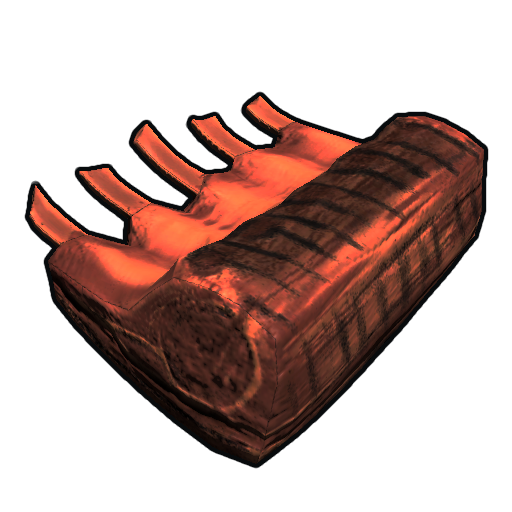
  + meat → crafter → cooked meat
  / bandages
  .
.
These networks pay back their material cost in hours, not days. The industrial system is the single biggest force-multiplier in the game for any player who logs more than a few hours a wipe.
Pro tips
Advanced industrial tips
- Use Max amount as a throttle, not just an overflow guard. Capping a destination keeps surplus upstream where you can grab it by hand — your industrial system holds the buffer for you.
- Min amount batches expensive moves. Set a high min on bulk resources so the conveyor ships full stacks instead of dribbling, smoothing out tick load.
- Build networks in deployable-priority order. Place containers and adapters first, conveyors second, pipes third, power last — wiring power before pipes just means rework.
- Keep one spare conveyor and a stack of adapters in the network room. Mid-wipe expansions are constant, and crafting parts on the fly breaks your flow.
- Plan networks around the 16 cap on paper first. rustrician now models industrial — sketch the adapter count before you place a single deployable.
- Separate hot and cold storage. Let the industrial system handle high-churn items (ore, components, ammo) and keep rare gear in hand-managed boxes outside any network.
- Build the network in a dedicated room in your base, separate from the loot core. The pipes and conveyors take a lot of wall space.
- Mark each conveyor 's filter on a sign above it. Mid-wipe you'll have 8 conveyors and no idea which one filters what.
- Test new filters with a few items first. Drop 5 of something and watch where it goes before dumping a stack.
- Use Filter Fail outputs as an "I forgot to filter for X" alarm. Wire all your Filter Fail ports through an OR gate into a siren light. When the siren lights up, check the garbage box.
- Power efficiency matters at clan scale. A clan with 20 conveyors and 6 crafters draws 50+ rW continuously just on industrial — needs a real solar array, not just one panel.
Large drop box sorting setups
A sorting setup turns one messy pile of loot into a base that files itself. You walk in from a monument run or a raid, dump everything into a single box, and the industrial system pushes sulfur to the sulfur box, components to the component box, guns to the armoury, and everything else to an overflow. For a group base this is the single biggest quality-of-life build there is — nobody hunts through forty boxes for springs ever again. This section is the complete, mechanically-exact build.
How the conveyor actually moves items
Everything below depends on four hard facts about the Industrial Conveyor. Get these wrong and your sorter trickles or jams.
- The 5-second tick. A powered conveyor waits 5 seconds from power-on to its first transfer, then transfers once every 5 seconds. That cycle is called a tick.
- 60 × 12 throughput. Per tick a conveyor moves up to 60 items from each of 12 stacks — 720 stackable items a tick on a single adapter. Unstackable items (guns, tools) count as one stack each, so 12 per tick.
- Adapters multiply reach. Every extra Storage Adapter on the source container adds 12 more stacks the conveyor can see. A Large Box takes 4 adapters; a Drop Box takes only 1.
- Filters gate the flow. Each conveyor filters up to 12 specific items or whole categories (Resources, Components, Weapons, Ammo, Construction, Electrical, Medical, Tools, Food, Clothing, Traps, Fun, Items, Other). Only matching items move; the rest stay put.
The conveyor also exposes Filter Pass and Filter Fail electrical outputs (both a free 1 rW) and three filter modes: ANY ITEM (move everything), REQUIRE ALL (only transfer once every listed item is present — used for crafter recipes), and EXCLUDE LISTED ITEMS (move everything except the list). A sorter is built almost entirely from category filters plus one ANY-ITEM catch-all.
Design 1 — the parallel fan-out (up to four categories)
A Large Box accepts four storage adapters, so four conveyors can read the same loot pile at once. Put your input Large Box on a wall, snap four adapters onto it, and run one conveyor off each adapter. Filter three of them to categories — Resources, Components, Weapons+Ammo — and leave the fourth on ANY ITEM as the catch-all. Each filtered conveyor outputs to its own destination box; the catch-all outputs to an overflow box. Order matters: the catch-all must be the last conveyor powered in the chain, or it scoops loot before the category filters get their pass. In practice you simply wire it at the end of the power daisy-chain.
This is the whole sorter for a solo or small-group base. It costs four conveyors and seven adapters (four on the input, one on each of three destination boxes — the catch-all box also needs one) and clears a full Large Box of mixed loot in two to three ticks.
Design 2 — the cascade for eight or more categories
Four adapters is the wall. When you want eight or twelve dedicated boxes — separate boxes for HQM, sulfur, cloth, low-grade, meds, guns, ammo, building blocks — you cascade. Run one ANY-ITEM conveyor from the input into a second Large Box (a "relay"). That relay now has its own four adapters and feeds four more sorter conveyors. Chain relay → relay with another ANY-ITEM conveyor and you add four categories per stage, with no real ceiling until the industrial max depth of 32 components per side.
The catch-all / overflow box
No filter list is ever complete — a player drops a weapon skin, a piece of clothing, a diving tank. The catch-all conveyor on ANY ITEM mode (or EXCLUDE LISTED ITEMS with your sorted categories listed) sweeps every leftover into an overflow box so the input never clogs. Check the overflow once a wipe: anything piling up there is a category worth promoting to its own conveyor.
Filter settings that actually matter
Each filtered item exposes three numbers. Used well they stop trickle-feeding and over-filling; ignored, they cause the most common sorter complaints.
| Setting | What it does | When to use it |
|---|---|---|
| MIN | Only moves the amount above this number out of the source box. | Keep a working stock in place — e.g. MIN 100 frags so the input always has crafting metal. |
| MAX | Stops transferring once the destination holds this many. | Cap a box so it never overfills — e.g. MAX sulfur at one box's worth. |
| BUFFER | Moves only in chunks of this size. | Feeding Industrial Crafters — buffer to the recipe amount to stop trickle-crafting. |
Build order — step by step
- Place the input box where teammates and you naturally walk past it — by the front door or the loot room. A Large Box for a sorter, or a wall-mounted Drop Box if you want a one-way deposit point teammates can fill but not pull from.
- Snap storage adapters on. Aim at the box with the adapter equipped. Large Box takes 4, Small Box 2, Drop Box 1, Tool Cupboard 2, Locker 3.
- Place each destination box and put one adapter on each.
- Place the conveyors. Two conveyors can never touch — a storage adapter must sit between them. Connect each conveyor's industrial input to a source adapter and its output to a destination adapter with the Pipe Tool.
- Wire power. One conveyor draws 1 rW; chain power through each conveyor's electrical pass-through. A four-conveyor sorter needs ~4 rW — trivial for a small battery or solar setup.
- Set the filters. Open each conveyor (TC auth required), add its category, set the catch-all to ANY ITEM. Use the Copy(JSON) button to clone a filter to other conveyors or save it outside the game.
- Test. Dump a mixed stack in the input, wait two ticks (10 s), confirm everything lands in the right box and the overflow catches the strays.
Bill of materials
| Part | Craft cost | Bench / research | Notes |
|---|---|---|---|
| Industrial Conveyor | 75 Metal Fragments | WB1 · 15 scrap | 1 rW each; one per category + one catch-all |
| Storage Adapter | 100 Metal Fragments | WB1 · 20 scrap | 30 HP; one per box face used |
| Industrial Splitter | 75 Metal Fragments | WB1 · 15 scrap | 1 pipe → 3; splitting into a non-divisor of 60 lowers throughput |
| Industrial Combiner | 75 Metal Fragments | WB1 · 15 scrap | 3 pipes → 1; lets one conveyor read several boxes |
A four-category fan-out runs roughly 4 conveyors + 8 adapters ≈ 1,100 metal fragments — cheap enough to build the first week. A twelve-category cascade is about three times that and still well inside a mid-wipe budget.
Common sorting mistakes
- Two conveyors touching. They refuse to connect — a storage adapter must always separate them.
- No catch-all. Without an ANY-ITEM conveyor the input slowly fills with un-filtered junk and then backs up the whole sorter.
- Splitting into a non-divisor of 60. Pipe a conveyor into 3 or 4 adapters via a splitter and it pulls 60 ÷ count rounded down per stack — throughput silently drops. Split into 2, 3, 5, 6 or use combiners instead.
- Filtering by single item when a category exists. You only get 12 filter slots — one "Components" category beats listing twelve individual components.
- Forgetting MAX on furnace and crafter feeds. Without a MAX the conveyor over-stuffs the target and you lose the BUFFER trick for clean crafting.
- Powering the catch-all first. If the ANY-ITEM conveyor gets first pick it steals loot before the category conveyors — power the chain so filtered conveyors lead.
The automated vending machine
A Vending Machine is a player-run, always-on shop. You stock it, set sell orders, and other players buy from it — even while you are offline, asleep, or off the server entirely. On its own it is a passive economy tool. Wired into the industrial conveyor system it becomes something better: a hands-off shop that restocks itself from a supply container. That industrial angle is why this section lives on the Industrial page.
What a Vending Machine is and how to deploy it
The Vending Machine is a deployable crafted at Workbench Level 1 for 20 High Quality Metal + 3 Gears; the blueprint is known by default, so there is nothing to research. Place it on any floor or against a wall inside your base. Once deployed, only a player with Tool Cupboard authorization can open the admin side and load stock; everyone else sees only the customer-facing buy screen.
To set it up:
- Open the admin panel (auth required) and drop the items you want to sell into the machine's inventory — this is the stock it draws from.
- Create sell orders. Each order is an item-for-item trade: you choose what the buyer gives, the quantity, and what they receive in return. A machine holds multiple orders, so one machine can run a whole catalogue.
- Name the shop and choose whether it broadcasts. A broadcasting machine shows as a green shopping-cart marker on the in-game map, so players server-wide can find it.
Rust has no built-in currency, so trades are always one item for another. In practice Scrap is the de facto currency — it is universally wanted for research and tech tree costs — so most shops price goods in scrap. You can also trade resource-for-resource (sulfur for charcoal, HQM for metal frags) when that suits your supply.
Pricing strategy basics
- Price against the recycler. A buyer can always recycle components into scrap. Price components below what the buyer would net by recycling raw materials themselves, or they will not bother.
- Sell what you overproduce. The best shop stock is whatever your base generates as surplus — excess gunpowder, ammo, components from a sorting run. You are converting waste into scrap.
- Move volume on cheap goods. Low-margin, high-turnover orders (ammo, low-grade fuel, basic meds) keep a shop busy; a few high-value orders (guns, raid tools) catch the occasional big spender.
- Watch your own machine. An order that sells out instantly was underpriced; one that never moves is overpriced or unwanted. Adjust each wipe.
Placement and safety
A Vending Machine is a lootable target. Customers need to reach it, which means it is exposed by design — and the stock and the scrap inside are loot for anyone who breaks in. Never place a stocked machine inside your loot core. Standard safe layouts:
- Shop front. Build a small external room with a shop front — the one-way trade window — so customers transact without entering your base. The vending machine sits behind the wall; buyers never touch it.
- Drop-box facing. Wall-mount the machine so only its customer face is exposed through an external alcove, with the admin side sealed inside your base.
- Dedicated shop building. For a serious shop, build a separate hardened structure away from your main base. If it gets raided you lose stock, not your home.
Whatever the layout, treat the scrap a machine earns as at-risk: empty its takings into your vault regularly rather than letting a wipe's worth of profit sit in an exposed deployable.
Industrial integration — the auto-restocking shop
This is the payoff. A Vending Machine accepts a Storage Adapter, exactly like a Large Box, a furnace, or a Tool Cupboard. That means it can be the destination of an Industrial Conveyor — and a conveyor can refill it automatically from a supply container while you are away.
The flow is a standard two-adapter conveyor link:
- Supply container. Place a Large Box as your bulk stockpile and load it with the goods you sell. Snap a Storage Adapter onto it.
- Conveyor. Place an Industrial Conveyor between the two. Connect its industrial input to the supply box's adapter.
- Vending Machine. Snap a Storage Adapter onto the back of the machine and connect the conveyor's output to it. Remember two conveyors can never touch — an adapter must always sit between conveyor and container.
- Power and filter. Power the conveyor (1 rW). Set a filter for exactly the items the machine sells, and use the MAX setting to cap how many of each the machine holds — so it tops the shop back up to a target level every tick instead of dumping the whole supply box in at once.
With the link live, every 5-second tick the conveyor checks the machine, sees a sold-out or low slot, and ships replacement stock from the supply box. The shop sells, the conveyor refills, and you do nothing — the only manual job left is occasionally topping up the bulk supply box and emptying the scrap the machine has earned. Pair it with an industrial crafter feeding the supply box and the entire chain — craft, supply, sell — runs itself.
Common vending machine mistakes
- No MAX on the restock filter. Without a cap the conveyor empties the entire supply box into the machine — one raid then loots your whole stockpile, not just the shop's display.
- Machine inside the loot core. Customers cannot reach it and raiders who do reach it are already in your vault. Always isolate it behind a shop front or in a separate building.
- Leaving scrap to pile up. Earned scrap sits in an exposed deployable. Sweep it into your vault — or pipe it out with a second conveyor — before a raider does.
- Filtering by category instead of item. A broad category filter can ship goods you never meant to sell into the machine. List the exact shop items.
- Forgetting trades are item-for-item. There is no currency in Rust — price in Scrap because that is what buyers carry, not because the game enforces it.